
Remote Access on Weak Wi-Fi: CrossDesk Review for Browser-Based SSH & K8s Debugging
A post-meeting airport lounge session, a borrowed laptop laden with corporate compliance software, and a sudden production Kubernetes cluster alert: a classic ops trifecta. Reaching for a go-to commercial remote access tool often yields a cold “Suspected commercial use detected; connection restricted” popup. Pivoting to a backup plan, the lounge’s high-latency, QoS-throttled Wi-Fi turns the session into a slideshow. Mouse lag makes even a basic kubectl delete pod feel like defusing a bomb, with every click carrying the risk of wiping out a critical service.
This isn’t an isolated incident; it’s the shared pain point for ops engineers working outside controlled networks. What’s needed isn’t a bloated “enterprise collaboration platform” with every feature under the sun, but a lean tool that lives in a browser bookmark bar, bypasses third-party servers entirely, and stays responsive on garbage connections. After testing a slew of open-source and commercial options, CrossDesk came onto the radar. Two weeks of heavy use later, the verdict is clear: it’s an extremely sharp Swiss Army knife, but holding it wrong will inevitably lead to cuts.
The Good: Problems It Actually Solves
Browser as Console: Real Zero-Trust Access
The “please install the client on the controlling device” prompt is long overdue for retirement. CrossDesk’s core value isn’t remote control itself, but handing full control over to web standards. During one emergency maintenance window, stuck with a public machine that blocked software installs, simply opening a browser and entering a device ID and password was enough to connect directly to the server. No installer, no registry leftovers, close the tab and it’s gone. This “burn-after-reading” access model offers more peace of mind for engineers constantly switching environments than any flashy feature list ever could. Even mobile Safari works in a pinch; it’s far from perfect, but when there’s no computer in sight, it serves as the necessary lifeline.
Smooth Performance on Weak Networks, Verified by Real Use
Plenty of tools claim “low latency,” then fall apart the moment cross-subnet traffic or public Wi-Fi enters the picture. CrossDesk’s underlying MiniRTC protocol and P2P direct connection actually hold up. In the high-latency, high-packet-loss hellscape of an airport lounge, H.264/AV1 hardware-accelerated encoding kept 4K streams shockingly responsive. This isn’t “barely usable” smoothness; it’s muscle-memory-level fluidity where the remote aspect fades into the background. Scrolling through logs at speed or dragging windows with zero hesitation delivers the kind of certainty that’s desperately missing during remote debugging sessions.
Data Sovereignty: Self-Hosting as a Non-Negotiable
For security-conscious users, handing server control to a commercial cloud relay is inherently risky. CrossDesk’s personal tier is not only free and unlimited, but supports one-click Docker self-hosting. All signaling and data traffic stays on private infrastructure, with fully auditable open-source code. This means owning an actual infrastructure component, not just another SaaS subscription. In an era where data breach headlines drop faster than version updates, a tool that keeps fate in the hands of the operator earns the label “productive.”
The Bad: Pitfalls to Watch For
Dynamic Public IPs Will Brick Self-Hosted Setups
This is the most critical architectural flaw right now. Deploying on residential broadband or cloud instances without static IPs requires extreme caution. The tunneling module demands a hardcoded EXTERNAL_IP at startup, and the moment an ISP reassigns the IP (a near-certainty on home broadband), the entire tunnel fails silently. There’s no graceful error message, just a dead connection and thirty minutes of troubleshooting before realizing the IP changed. For setups without DDNS automation or static IPs, this design is an ops nightmare. It assumes an idealized network environment that rarely exists in the real world.
Windows Client Chokes in Locked-Down Corporate Environments
Open source doesn’t magically bypass OS-level restrictions. On Windows machines with strict security policies, standard user accounts may fail to launch the CrossDesk client entirely. This isn’t a bug; it’s friction between the tool and Windows permission models. Needing to track down an admin for elevation or GPO changes when urgent access from a managed device is required instantly erases all the convenience of the web client. It’s a stark reminder that true seamlessness across heterogeneous environments remains a myth.
Mobile Is Web-Only: Don’t Expect Native Polish
Yes, mobile browsers work, but expectations should be managed. Lacking a native app means no system-level haptic feedback, background persistence, or optimized hardware acceleration. Fine-grained tasks are plagued by virtual keyboard occlusion, imprecise touch mapping, and browser memory limits. It’s fine for checking status or restarting a service, but attempting a full troubleshooting session on a phone will likely end in finger cramps and mis-taps within ten minutes. This is not a mobile-first tool, and “mobile access supported” shouldn’t be oversold.
The Verdict: Who Should Use It, Who Should Walk Away
Worth Trying If:
- Operating as a solo dev, homelabber, or small-team ops engineer with a static public IP or reliable DDNS automation
- Data sovereignty is non-negotiable, and third-party cloud relays are off the table
- Workflows are browser-native, and installing clients on every new device is a non-starter
- A reliable fallback channel on weak networks is needed, and occasional config tinkering is acceptable
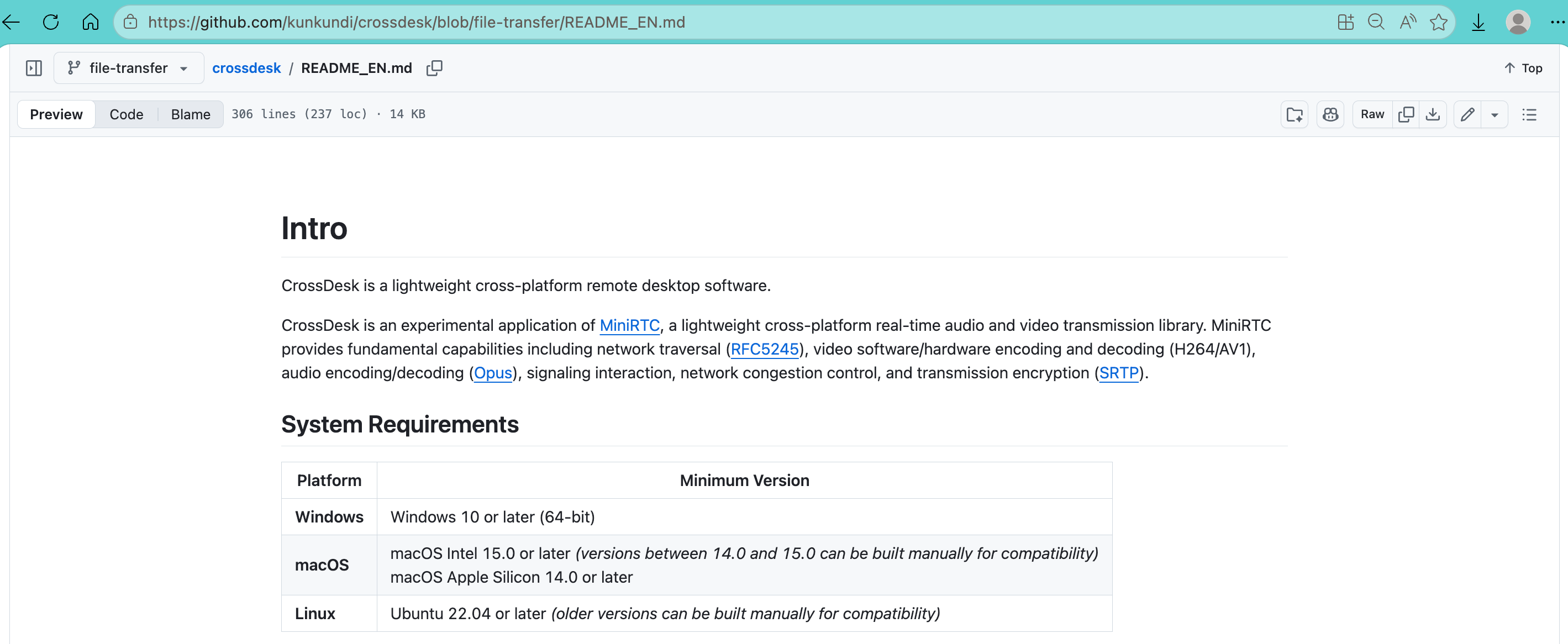
Check out the CrossDesk GitHub: https://github.com/kunkundi/crossdesk
Skip It Entirely If:
- Deployment lacks a static IP and scripting DDNS-to-service-restart automation is not an option
- Operation across many locked-down corporate Windows endpoints without admin rights is required
- Plug-and-play native mobile performance is expected
- A set-and-forget black box is preferred over an infrastructure component requiring ongoing maintenance
CrossDesk isn’t trying to please everyone. It’s a deliberately edged tool built for a specific audience. Its strengths are sharp enough to slice through the bloat of legacy remote access solutions, and its weaknesses are equally real, demanding solid networking knowledge and tolerance for friction. For those who know exactly what they’re signing up for and are willing to pay the operational tax for true autonomy, it might be the sharpest blade in the toolkit. Otherwise, there are plenty of smoother, blander alternatives on the market.
If you enjoyed this, you might also like:
-
Use iPhone as Mac Second Screen with Different Apple IDs: OpenDisplay Review
-
Inside OpenSquilla: Local LLM Routing & Hardcoded TDD for Indie Devs
-
Drowning in User Feedback? Why BuildBetter is a Research Synthesizer, Not a Strategist
A Quick Note:
The insights above are based on real-world usage and are for reference only. Your mileage may vary.
If you’ve had a similar experience or completely disagree.we’d love to hear from you: https://forms.gle/